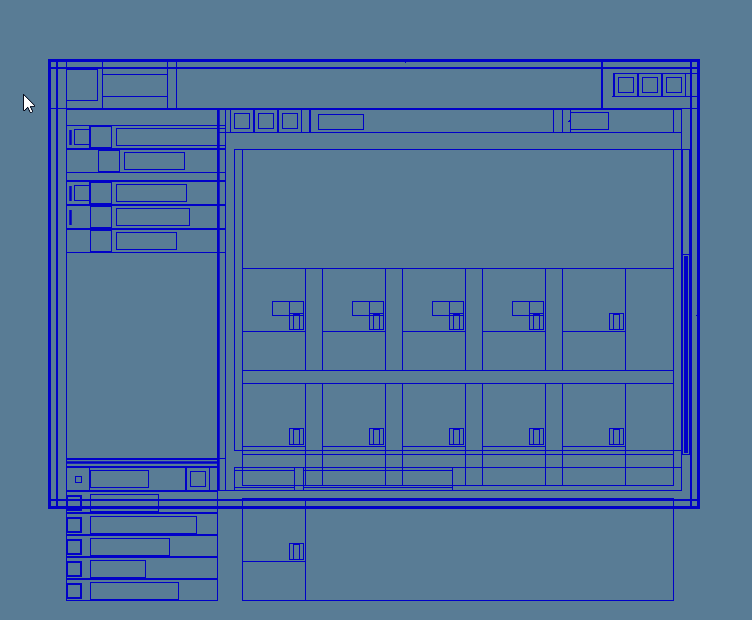
how does the ParseInterface code handle containers with scroll? Because when I try to reproduce something similar items get displayed at incorrect positions when the inventory is not at the top most scroll position, see screenshot:
The parsed GUI API gives you the totalDisplayRegion for all nodes, including the parents of the node you see outside of the viewport in this example.
By using the totalDisplayRegion from the parent/container nodes, you can check if the child node is outside the viewport.
If you detect its outside, you can filter it out to avoid having your bot trying to interact with it.
I see the parsing framework already includes a derived property totalDisplayRegionVisible here:
totalDisplayRegionVisible contains a subregion of totalDisplayRegion. I see it considers occlusion (like another window of the game client GUI in front that prevents interaction with the UI element in question) but I am not sure it also already includes cropping by scrollable container.
As you can see in the screenshot, the regions of the scroll bar and the scroll handle are also included. Some bots use these regions to compute the scroll location in the viewport and also to scroll up or down to make other items visible.
My understanding is that the yellow part would be fixed by the occlusion logic. But not the red part. All inventory item rows should actually be shifted upwards (so that the first row appears where the red rectangle is). When this rendering was taken, there was no empty row in the real game client running. The logic of calculating the global position of any element by adding it’s parent coordinates + its dimensions (width/height), in my opinion does not hold for content within a scrollabe container - at least in the case of the item inventory. And this again in my opinion has nothing to do with whether it’s a GUI or not, because if the coordinates of an element are incorrect, they are just incorrect.
The Scroll (have to check which one exactly) element actually contains a scalar (int) value called position which “correctly” describes the offset of the contents. Applying this offset (neg position + child.y results in correct global coordinates. Sidenote: This provides accurate global positions for the rows+items, but the “container” containing the items get’s shifted upwards, which is not correct, but this is addressed but simply not rendering the occluded regions.
So I thought in the beginning. I was not wrong, however, I later found out that the offest given position (from the Scroll element) is partially incorrect / the computation is incorrect, because this only works for any scroll handle position BUT 100% scrolled down. So computing the correct global coordinates within a scrollable content - only tested with inventories - includes reading the position value from the parent scroll. I have not figured out how to fix the 100% scrolled down problem. The problem that then arises is the following: All rows are offset’d by I believe roughly rowPadding (or whichever field holds the margin height number indicating the height between rows).