is it possible to randomize the delay number? amd how so?
Yes, for example, when selecting bot 8cab38824b or bot b56d09f315, you can randomize the delay by entering minimum delay and maximum delay like this:
bot-step-delay = 1000 - 2000
Cheers  appreciate it. and nice work on the new random interval commits
1 Like
Hello,
Its been a bit since i’ve used the bot as was busy alot this summer.
I had suggested some changes awhile ago to make the bot act more like how we actually played the game.
I spent some time this evening implementing and testing the following changes, i have emailed you the zip:
Drone control hotkeys - Instead of using right click menus, drones use hotkeys for launch, attack, and recall
Ctrl+Click targeting - this is more natural than the right click menu, also clicks faster due to being a single step instead of multiple
I think a good idea for the above would be to have a setting to choose between hotkeys or right click menu.
static object orbiting - I had some minor success trying to implement this with my limited ELM experience. I was able to basically copy the overviewentriestoattack section and swapped it to overviewentriestoorbit, and created a shouldorbitoverviewentry that currently looks for anything containing the string “broken” at this time (a word from an object in a anom). I attempted to figure out how I could set this up for a list to eventually make it a multiple entry setting, so that you could tailor the strings to the anoms you are using, but don’t have the knowledge to do this. would also like to make it so that if it can’t find an object, it defaults to the normal orbit rat behaviour.
Object orbiting is the most common way of orbiting in anoms, and solves the problem Wombat explained above. even in anoms without a static object, its common to orbit a wreck instead of a live rat. You would just need the object shown on an overview.
If you could merge some of this into the bot, and assist me with the object orbiting, that would be greatly appreciated!
1 Like
Hey John, thank you very much for sharing your experience!
I don’t know what you mean by ‘merge’, but I understand the object orbiting part.
Let’s start with the code you used so far:
shouldOrbitOverviewEntry : EveOnline.ParseUserInterface.OverviewWindowEntry -> Bool
shouldOrbitOverviewEntry =
    .objectName
        >>Maybe.map(stringContainsIgnoringCase "broken")
        >>Maybe.withDefault False
As a quick reminder for other readers, the objectName field means we are looking at the text of the overview entry in the ‘Name’ column. To learn more about the parsed user interface of the EVE Online game client, see https://to.botlab.org/guide/parsed-user-interface-of-the-eve-online-game-client
In the current implementation of shouldOrbitOverviewEntry, we can see the comparison of the object name to the string “broken” as you mentioned earlier.
To make it easier to follow the coding process, I am breaking this expansion down into two consecutive steps:
- Support multiple patterns to match the object name
- Support configuration via the bot settings
Support multiple patterns to match the object name
To start, we put the current preference of “broken” into a collection type, a type that supports any number of elements of the same type. We could use Set.Set String here. I opted for List String in this case. (One advantage of using a list instead of a set is that a list also enables us to encode priorities if more than one object matches the patterns.)
We can encode our list of patterns in a declaration like this:
overviewEntriesToOrbitNames : List String
overviewEntriesToOrbitNames =
    [ "broken" ]
And here is how we can use that from shouldOrbitOverviewEntry:
shouldOrbitOverviewEntry : EveOnline.ParseUserInterface.OverviewWindowEntry -> Bool
shouldOrbitOverviewEntry =
    .objectName
        >> Maybe.map
            (\objectName ->
                overviewEntriesToOrbitNames
                    |> List.any
                        (\objectNamePattern ->
                            stringContainsIgnoringCase objectNamePattern objectName
                        )
            )
        >> Maybe.withDefault False
We can rewrite that to the following more condensed syntax that yields the same results:
shouldOrbitOverviewEntry : EveOnline.ParseUserInterface.OverviewWindowEntry -> Bool
shouldOrbitOverviewEntry =
    .objectName
        >> Maybe.map
            (\objectName ->
                overviewEntriesToOrbitNames
                    |> List.any
                        (stringContainsIgnoringCase >> (|>) objectName)
            )
        >> Maybe.withDefault False
Support configuration via the bot settings
In that framework, the bot settings are available from eventContext.botSettings in the BotDecisionContext we have in our root function to decide the next action to take in the game client.
The existing code already has the BotDecisionContext as parameter in decideActionInAnomaly which invokes the new shouldOrbitOverviewEntry
So we only need to propagate it one function application further, adding a parameter for the settings in our new function:
shouldOrbitOverviewEntry : BotSettings -> EveOnline.ParseUserInterface.OverviewWindowEntry -> Bool
shouldOrbitOverviewEntry settings =
    .objectName
        >> Maybe.map
            (\objectName ->
                settings.overviewEntriesToOrbitNames
                    |> List.any
                        (stringContainsIgnoringCase >> (|>) objectName)
            )
        >> Maybe.withDefault False
I was meaning if you could add the functionality to the bot, preferably into the main distribution as opposed to a fork with my name on it.
I love the detail in your response, appreciate the mini lesson!
Priorities is actually pretty useful! This could actually further solve the orbiting a frigate issue, because we could add the most preferable ship/ships to orbit.
Would this just be a matter of entering the settings in the order of priority?
As a static list:
overviewEntriesToOrbitNames =
[ “broken”,“pirate gate”,“pope” ]
or as a setting: (would obviously need to set up the code for this as well i assume)
orbit-object = broken
orbit-object = pirate gate
orbit-object = pope
So with those options it would prioritize anything with broken over the pirate gate or pope correct?
Do you see a problem with publishing it under your name?
The main branch of my examples repository is for more popular playing styles. It should work with a wide range of game client configurations and not depend on less common setups.
You can just copy that from one of the existing bot-settings names which also take multiple names, like anomaly-name:
While the settings types introduced above are sufficient, the filtering code above maintains the same order of targets as the input list.
To implement that sorting by priority, you can use a function like this:
overviewEntriesToOrbitByPriority :
    BotSettings
    -> List EveOnline.ParseUserInterface.OverviewWindowEntry
    -> List EveOnline.ParseUserInterface.OverviewWindowEntry
overviewEntriesToOrbitByPriority settings overviewEntries =
    settings.overviewEntriesToOrbitNames
        |> List.concatMap
            (\nameToOrbit ->
                overviewEntries
                    |> List.filter
                        (.objectName
                            >> Maybe.map (stringContainsIgnoringCase nameToOrbit)
                            >> Maybe.withDefault False
                        )
            )
        |> List.Extra.unique
not really an issue publishing it myself, just not sure how to actually do so.
otherwise i appreciate the help and will work on implementing the full code
1 Like
Awesome, this will help people discover your bot!
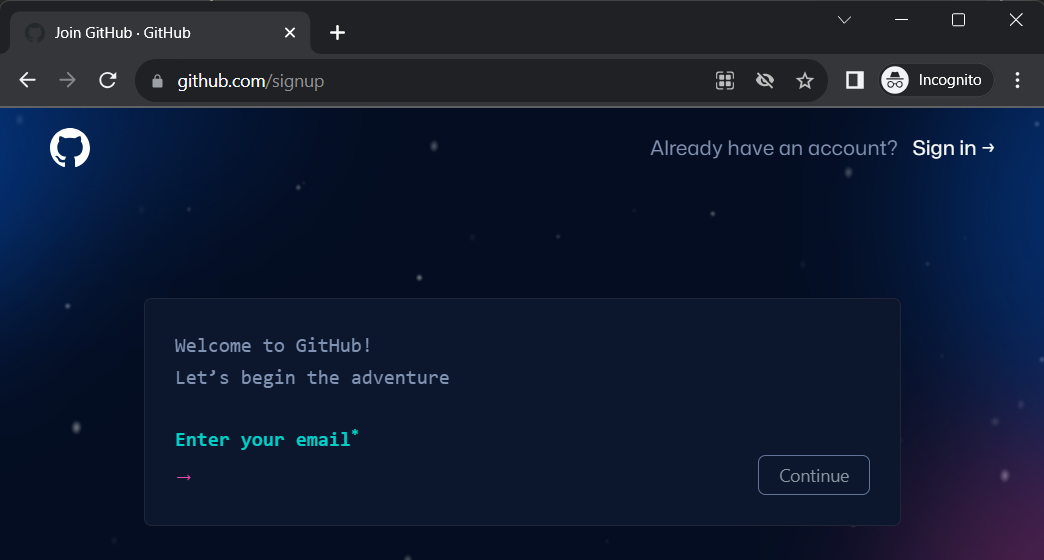
The best way is to create an account at https://github.com/signup and then use the “Fork” button at https://github.com/Viir/bots/fork
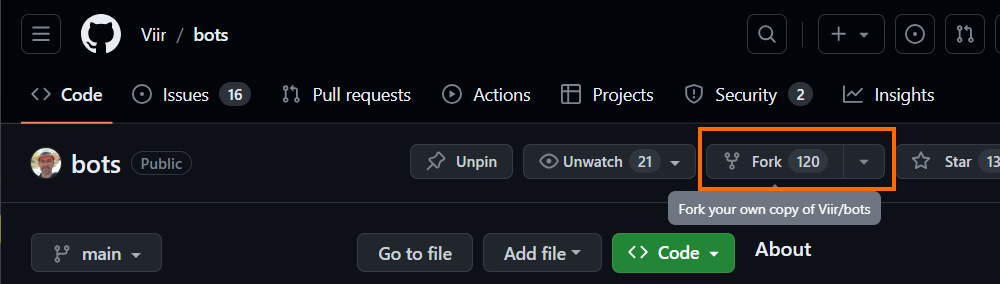
The fork in GitHub enables easy publishing and also helps you with comparing your program code with other variants, both in your own database and across the network of forks.
There are various free GUIs for editing in the Git database, but you can also open any of the files in the GitHub web GUI and copy-paste your bot program text into an existing Bot.elm file.